
YOUR ENGINEERING PROJECT WORKSPACE
Good ideas deserve
a clear trail.
Bring your design files, evidence and decisions together. InventBench helps you inspect a prototype, track what changed, and hand over work that others can follow.
Public beta · Private projects · No email required
“Check the hole clearance before fabrication.”
Illustrative reviewer note · mount.step / R1FROM THE FIRST QUESTION TO THE FINAL ZIP
Keep the work connected.
For makers, independent engineers and small studios turning design files into a documented project.
- 01 / BRIEF
Define the job
Capture objectives, constraints and what success looks like.
- 02 / FILES
Bring the evidence
Upload models, board files, schematics and supporting documents.
- 03 / REVIEW
Make the call
Inspect revisions. Record findings, questions and human review decisions.
- 04 / PLAN
Move it forward
Track requirements, tasks, BOM costs, risks and test records.
- 05 / HANDOFF
Leave a clear record
Issue a BenchBook PDF and a versioned package of the selected work.
A PROJECT, MADE CONCRETE
What could you do with it?
Follow a small sensor-mount project across its mechanical files, electronics and final handoff.
MECHANICAL INSPECTION
Does the part fit the brief?
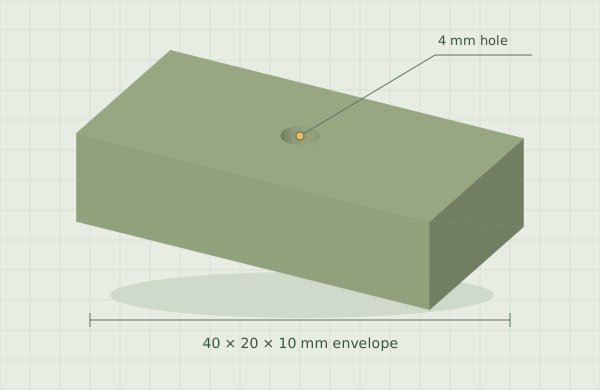
Start with the 40 × 20 × 10 mm mounting block. In your workspace, orbit the model, take a section, measure approximately and save a view to explain a finding.
- Keep the original file and each uploaded revision.
- Compare revisions side by side.
- Attach evidence and decisions to the exact revision reviewed.
“Is the mounting hole large enough for the intended fastener?” Record the check and any follow-up before accepting the revision.
BOARD INSPECTION
See the layers in context.
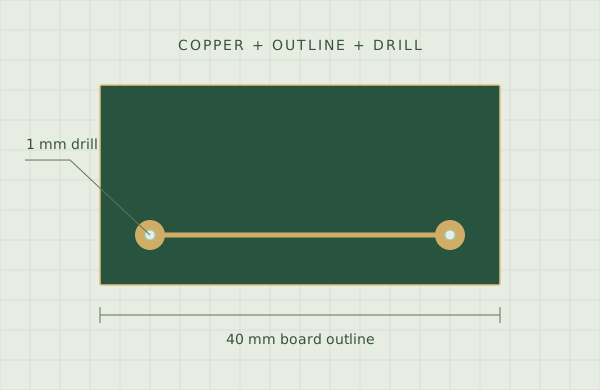
Review the sample board’s outline, copper and drill positions together. In the workspace, toggle fabrication layers and change the viewing orientation.
- Upload a Gerber/drill package or a native KiCad PCB.
- Inspect converted previews on shared coordinates.
- Keep board observations beside the mechanical review.
“Do the drill locations line up with the pads?” Capture the observation and the exact fabrication revision it applies to.
SCHEMATICS & SUPPORTING EVIDENCE
Keep every sheet in the review.
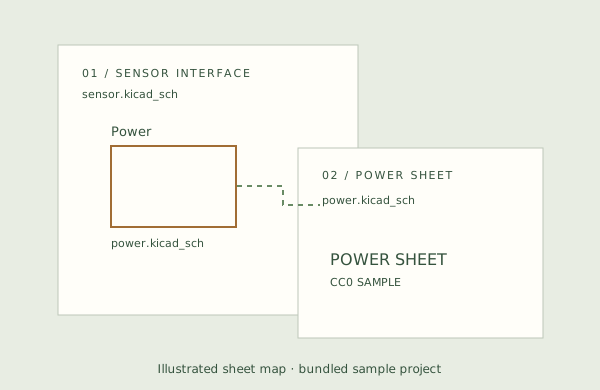
The sample sensor schematic includes a separate Power sheet. Upload the complete KiCad project ZIP to produce sheet previews, or bring exported PDFs and SVGs.
- Review schematic sheets and document pages.
- Search available PDF text and keep supporting evidence.
- Record missing information and open questions.
“Have all the referenced sheets been supplied?” Keep that check with the schematic revision and its supporting documents.
THE CLIENT HANDOFF
Deliver the reasoning with the files.
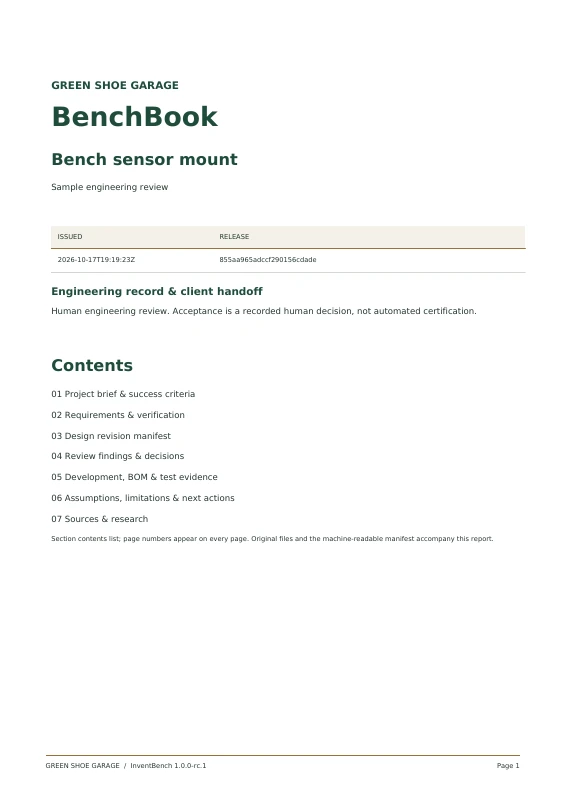
A BenchBook is the readable record of your project: the brief, requirements, revisions, findings and next actions in one PDF.
- Choose which records and files belong in the handoff.
- Freeze a version with originals and file checksums.
- Share an expiring, revocable, read-only link.
Real sample export · PDF · 61 KB · no account needed
These are static walkthroughs using bundled demonstration files, not validated hardware. Create an account and choose “Explore the sample” to try the interactive workspace.
MORE THAN A FOLDER OF FILES
Remember why.
Know what comes next.
Design work creates questions as well as files. Keep the brief, the evidence and the next action close enough that the reasoning survives the handoff.
Start with your own project- Decisions with context
- Findings, saved views and review records stay connected to the revision you inspected.
- A practical project plan
- Requirements, BOM and labor costs, tasks, milestones, risks and test records share one workspace.
- Control over the handoff
- Projects start private. Publish only the selected, frozen records you intend to share, and export complete backups.
BEFORE YOU PULL UP A CHAIR
A few useful answers.
Is InventBench a CAD or PCB editor?
InventBench is an inspection and project-record workspace. Create designs in your preferred CAD or electronics tools, then bring them here to review and document. Measurements are approximate, and engineering acceptance is a human decision; previews do not provide simulation, electrical-rule checking or automated certification.
Can I use native KiCad files?
Yes. Native PCB files are converted into fabrication-layer previews. Native schematics are converted into sheet previews; upload a complete project ZIP when the design has linked sheets or dependencies. You can also upload exported Gerbers, drill files, schematic PDFs and SVGs.
How do I start my first project?
Choose a blank project or a mechanical, electronics or integrated-product template. Templates add private starter drafts for requirements, tasks, a test and an open question. Customize them for your project, then use the guide to collect files, record observations and prepare a handoff.
What do I get in the public beta?
Each account currently includes up to 10 projects, 512 MiB of stored project data and 60 conversions in a rolling 24-hour period. This is an evolving beta. Keep backups of work you need to retain.
Who can see my projects?
Your projects are private to your account by default. You can issue a frozen handoff and create a read-only link for someone else. Anyone with that link can view its selected contents until it expires or you revoke it. Live collaborative project editing is not currently available.
How do accounts and password recovery work?
Choose a username, display name and a passphrase of at least 14 characters. No email address is required. Save the recovery key shown when you register: it is how you regain access if you forget your password.
Can I try an example and take my work with me?
After signing in, choose “Explore the sample” for a separate demonstration project in your own workspace. You can export complete project backups, download original files, or issue a BenchBook PDF and handoff ZIP.
YOUR NEXT PROJECT STARTS HERE
Give the work a home.
Bring your first design, or start with the sample project.
Already have a bench? Sign in